

Display References to a Record
Texas State Reporting References in Course History Institutions (CHI)
Overview
Course History Institutions is a table that lists districts and schools with their corresponding CDS (County/District/School) number. This table is linked and populates several pages including: Transcripts (HIS), Interdistrict Transfers (STU.ITD), Attendance Enrollment (ATT.ITD), and Other District Enrollment (ODE). The district and school CDS numbers must be accurate and this table cannot contain any duplicated entries.
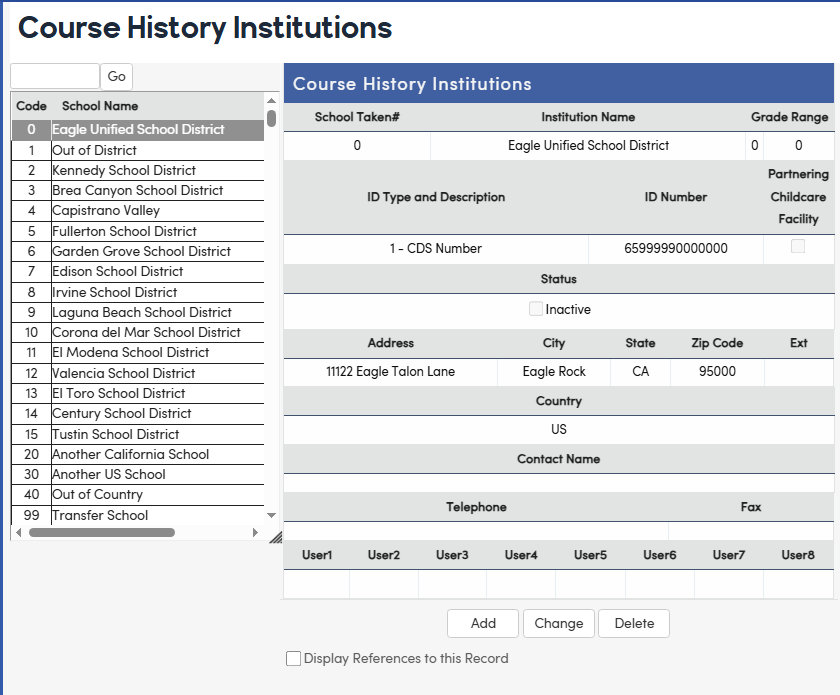
If a student has taken a course at a different school, the name of the school can be displayed on a transcript if the school must be set up in Course History Institutions. Course History Institutions can be found under School Info | Configurations. Click on the Add button and enter all school information including the ID type. Save the changes.
Be sure the ID Number is entered without hyphens.
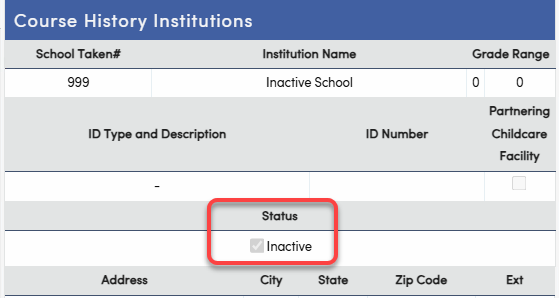
A Status tag is available to identify a record as 'inactive'. Search for the desired school that will be marked as an inactive school, then in edit mode, select the 'Inactive' checkbox to mark the school as inactive, then select Save.
School Taken on a Transcript ↑
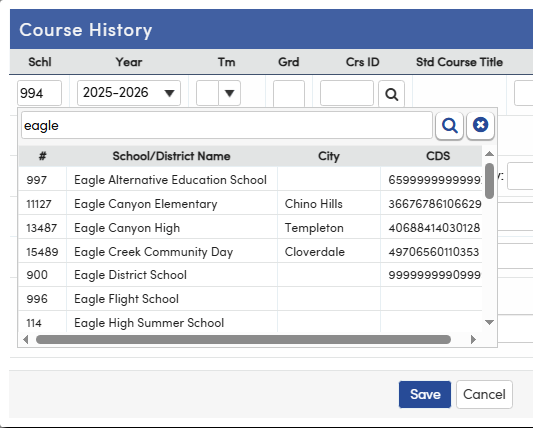
CHI records will display in the School Taken field on the Student Transcript form. Click in the Schl column and either enter the school number if it is already known, or use the Search box to search for the school by number or name. Select the desired school and the school name will display on the transcript.
All schools identified as 'inactive' in the Course History Institutions page will be suppressed from the School Taken field in the Transcripts page.
Reserved School Codes ↑
NOTE: Course History (CHI) school numbers 0 - 999 are reserved for the "Aeries" school codes that are used on the School Options (LOC) page. These Course History school numbers and names should match the school numbers and names in School Options (LOC). 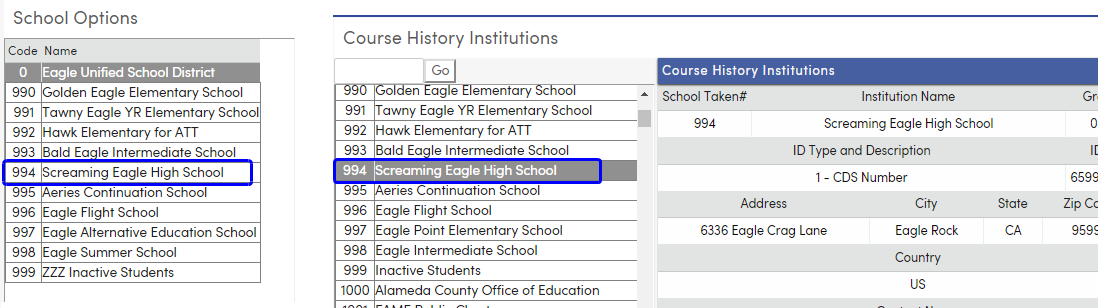
Display References to a Record ↑
The Course History Institutions (CHI) page also has a checkbox at the bottom to Display References to this Record. When this box is checked, it will display other places this is used throughout the system. This data should be verified before deleting or changing any CHI codes.

Texas State Reporting References in Course History Institutions (CHI) ↑
The CHI table is also used to record external institutions or facilities that are reported in Texas state reporting submissions.
The RF Tracker submission includes Residential Facilities, reported in the EdOrg interchange's ResidentialFacilityExtension. These facilities are recorded in CHI with an ID Type and Description of R - Residential Facility:
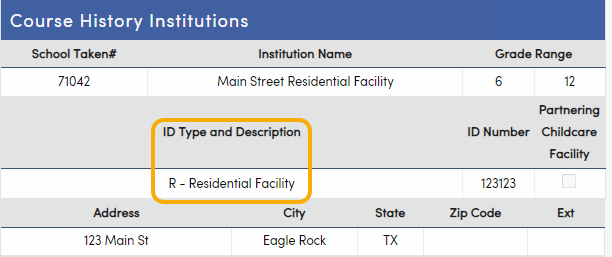
See the Texas - TSDS Core Collections - Residential Facilities Tracker (RFT) documentation for more information.
The Partnering Childcare Facility checkbox is used to identify facilities in CHI which will be reported to the state in the ECDS submission EdOrg interchange as childcare facilities which participate in a partnership with a Local Education Agency:
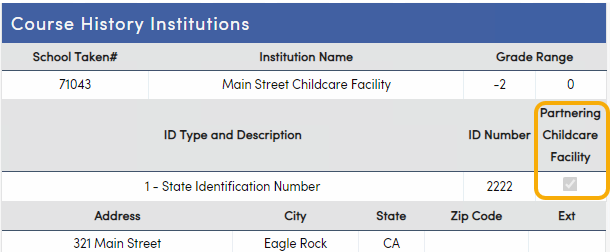
See the Texas - TSDS Core Collections - Early Childhood Data System (ECDS) documentation for more information.