

The Guidance section under Student Data provides access to pages for documenting and managing student counseling, behavior, and visitation records. The pages available to a user depend on their security settings and may include: Assertive Discipline, Discipline, Counseling, Behavioral Emergency, Visitation, Retentions, Victims, Witnesses, Discipline Incidents and Discipline Dashboard.
Counseling
The Counseling page is utilized to log conferences and type any desired comments. If codes have been standardized in the Code Table, you will be able to track the different reasons you have conferences with students, parents, teachers, etc. for example Personal Counseling or Teacher Concern.
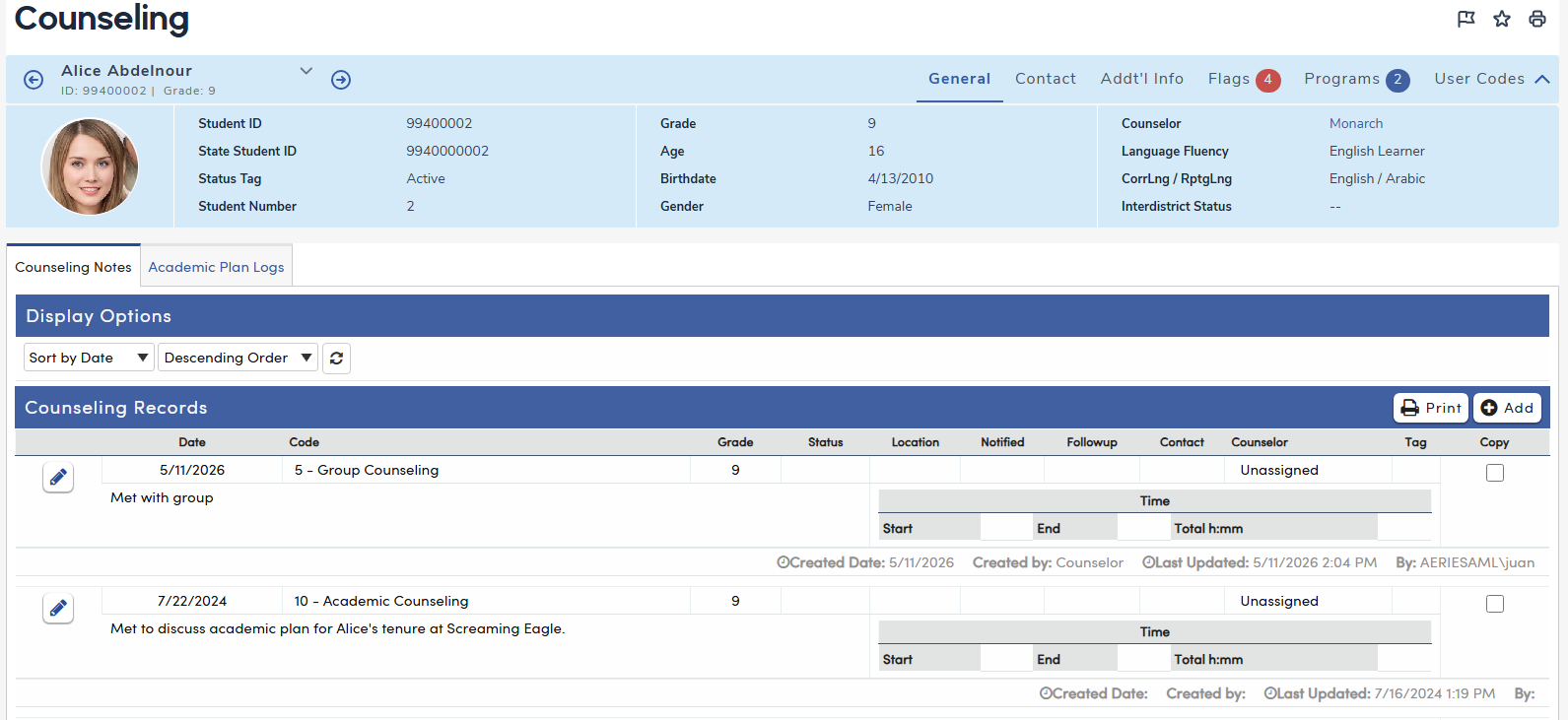
When a Counseling record is saved, the following read-only fields are automatically captured and displayed on the record:
- Created Date — the date and time the record was first created
- Created By — the name of the user who created the record
- Last Updated — the date and time the record was most recently saved
- Updated By — the name of the user who last modified the record
NOTE: All comments entered on the Counseling page will print on the Print Student Counseling Report/CNF report, accessible from View All Reports. Use your best professional judgment about what is documented.
Visitation
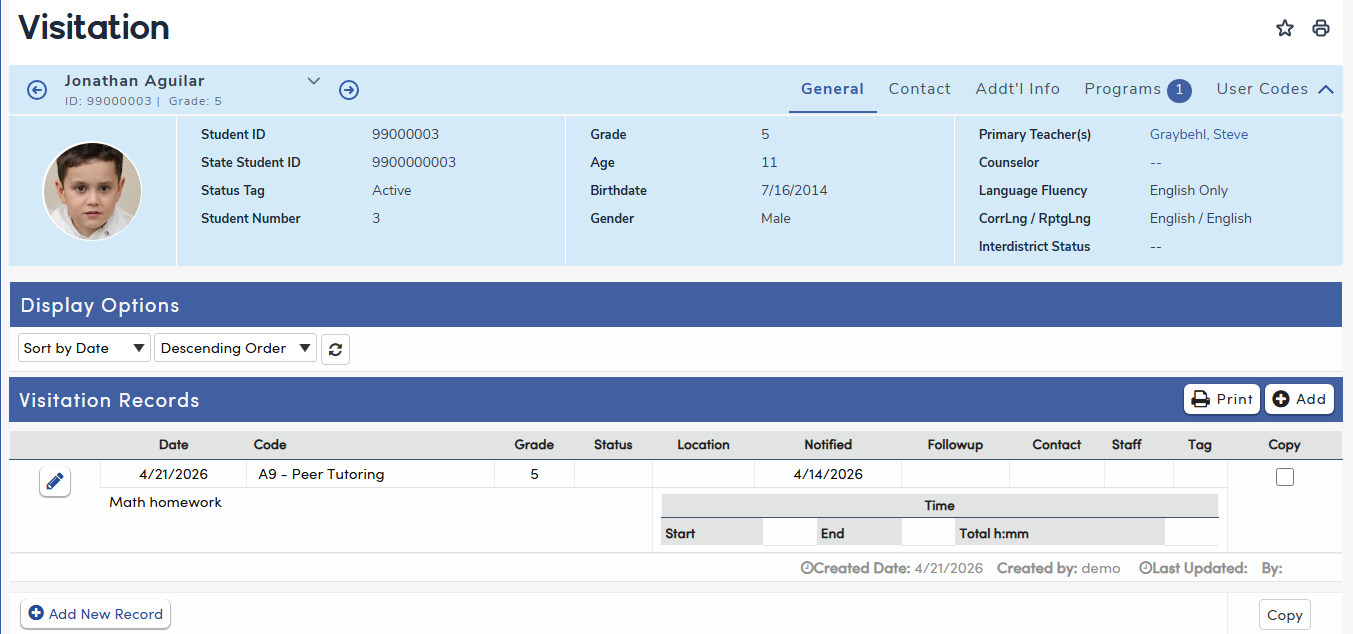
The Visitation page is used for keeping notes and has room for as much narrative information as desired.
Each Visitation record now displays read-only audit information beneath the record when populated:
- Created on – the date the record was originally added
- Created by – the name of the user who created the record
- Last Updated – the date and time of the most recent change to the record
- By – the name of the user who last updated the record
This information is automatically captured by the system when a record is added or edited and cannot be modified by users.
Tip: Consider limiting access to the Visitation page through security settings to create an area for more confidential notations. Be aware that narratives are accessible to reports such as Print Student Counseling Report/VIS. Use your best professional judgment about what is documented.
For an example of how the Visitation page can be used in practice, see Contact Tracing using the Visitation Page.