

Pinned Custom Fields let you standardize custom fields for students within a school, often used to store contact information and map data being imported from a SIS.
Any user with access to the Setup module for a school can create, edit, or delete pinned custom fields for the school. Any user with access to the Admin module for a school can view, edit, import, or custom field data for many students at once. Any staff account with access to an individual student can view and edit custom field data for an individual student.
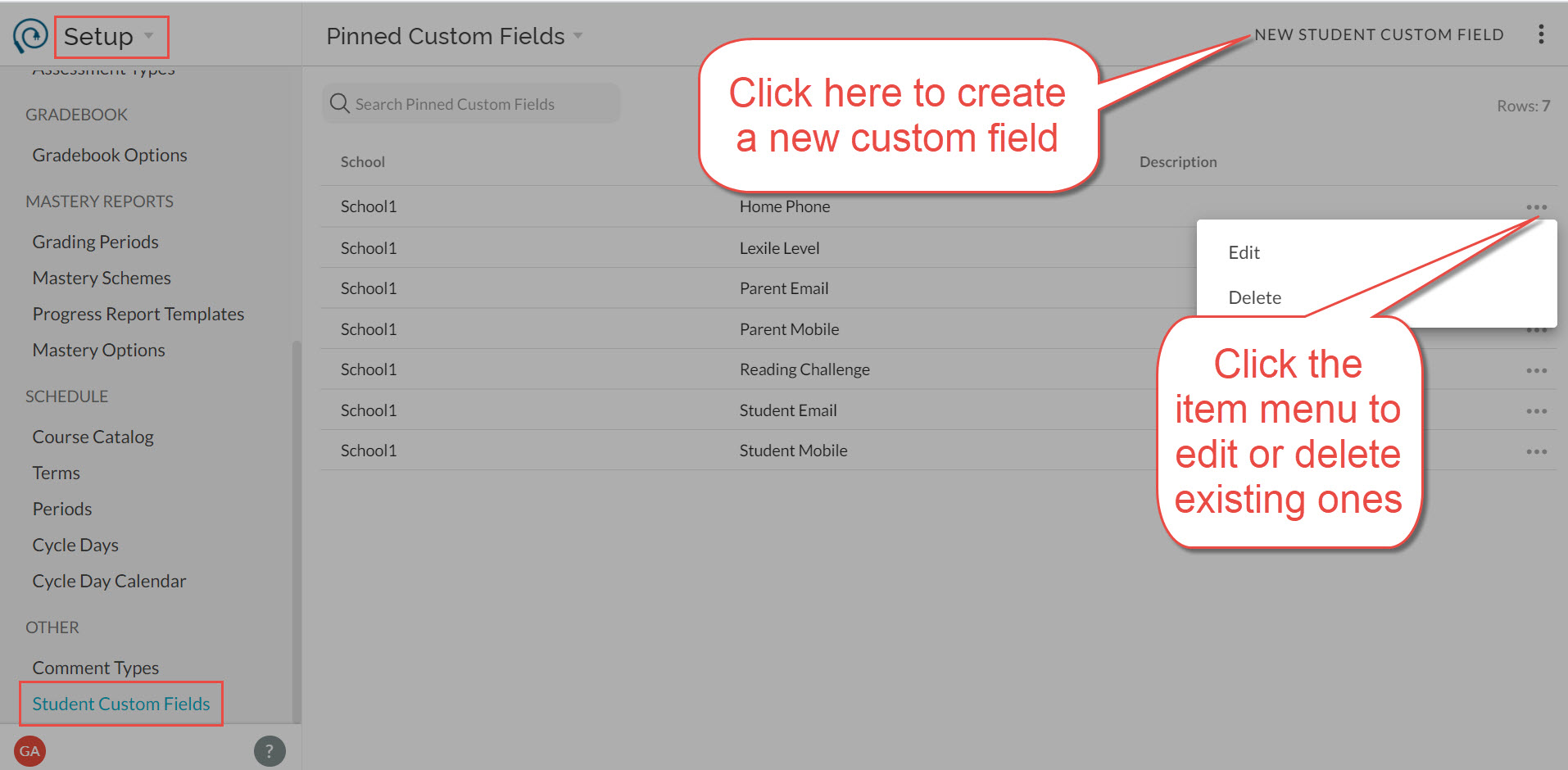
To create, edit, or delete a custom field, navigate to Setup > Other > Student Custom Fields. Keep in mind:
- You are limited to thirty pinned custom fields per school
- The label must be unique for each pinned custom field at a school (case insensitive)
- Some custom fields may have been set up by our implementation team to align to fields imported from your SIS. Please do not edit or delete these fields, as it will cause errors in the SIS import process. They are indicated with a "managed" checkbox.
You may also be interested in importing and managing student custom field data in Admin.