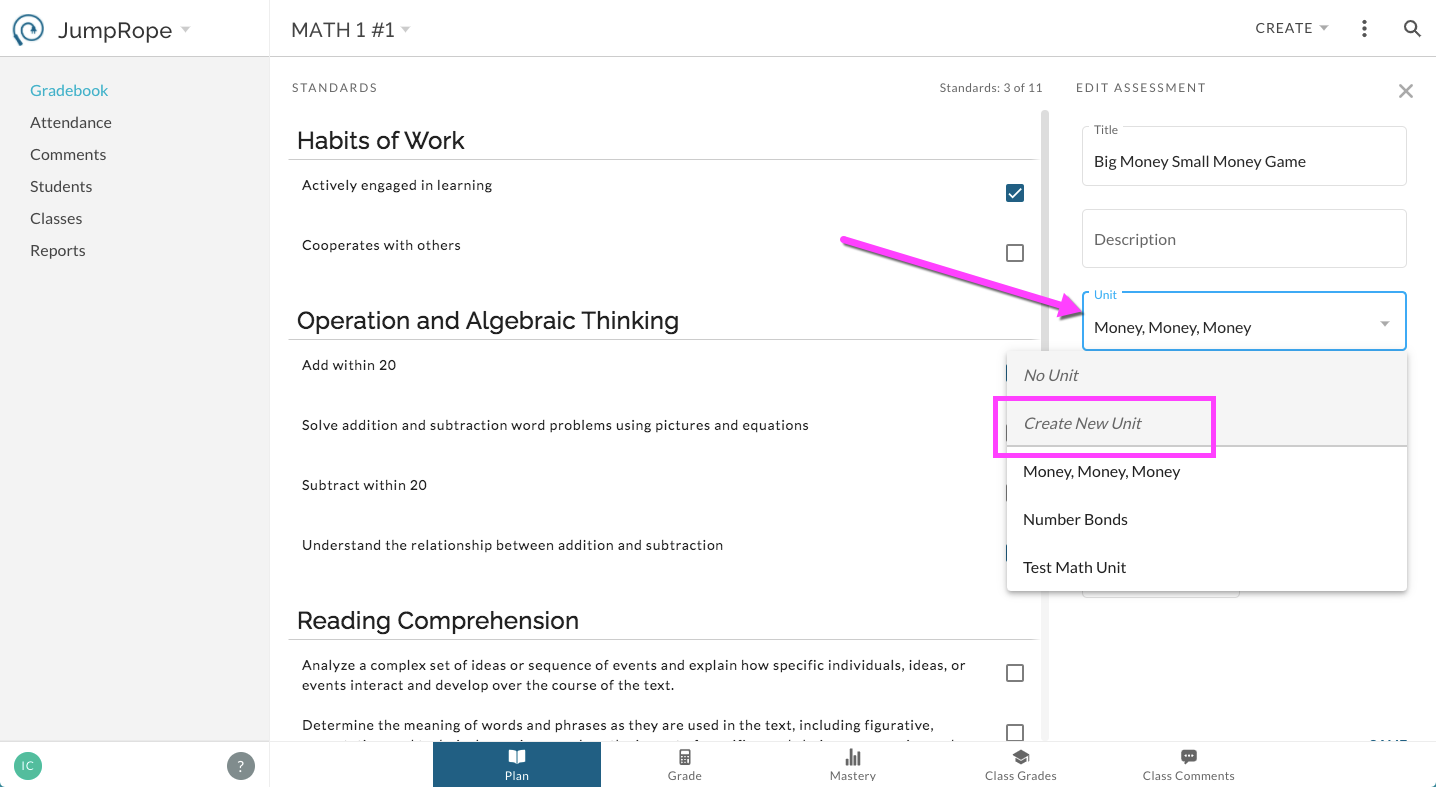
The Unit feature in JumpRope 2.0 allows you to organize your assessment list into folders/units. Creating Units and aligning Assessments to Units is optional in JR 2.0. Additionally, unlike JumpRope Legacy, you do not need to use Units as the vehicle for copying sets of standards and assessments from year to year and class to class; this can be done more selectively in JR 2.0.
There are several options for creating new units from the Plan section of a class in your Gradebook.
Option 1:
Select Create -> New Unit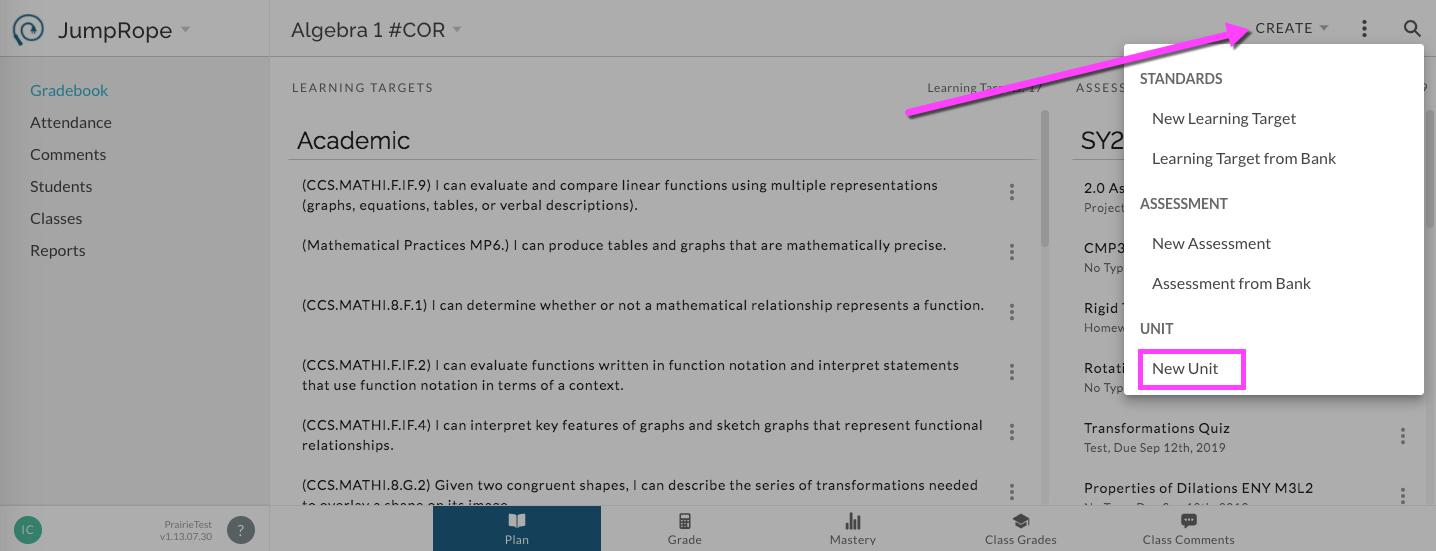
In the details window enter the Title of the Unit and an optional Description.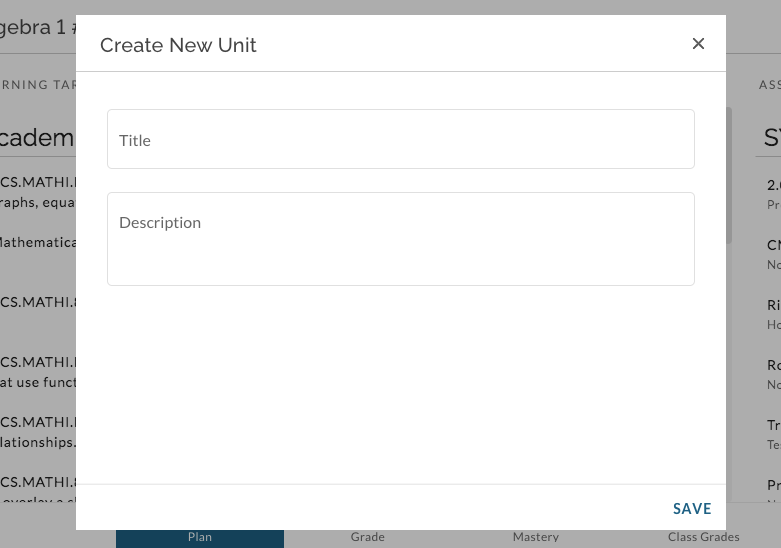
Option 2:
When creating or editing an assessment, in the Unit field, type in a title for a new unit. When the assessment is saved, the new unit will be created.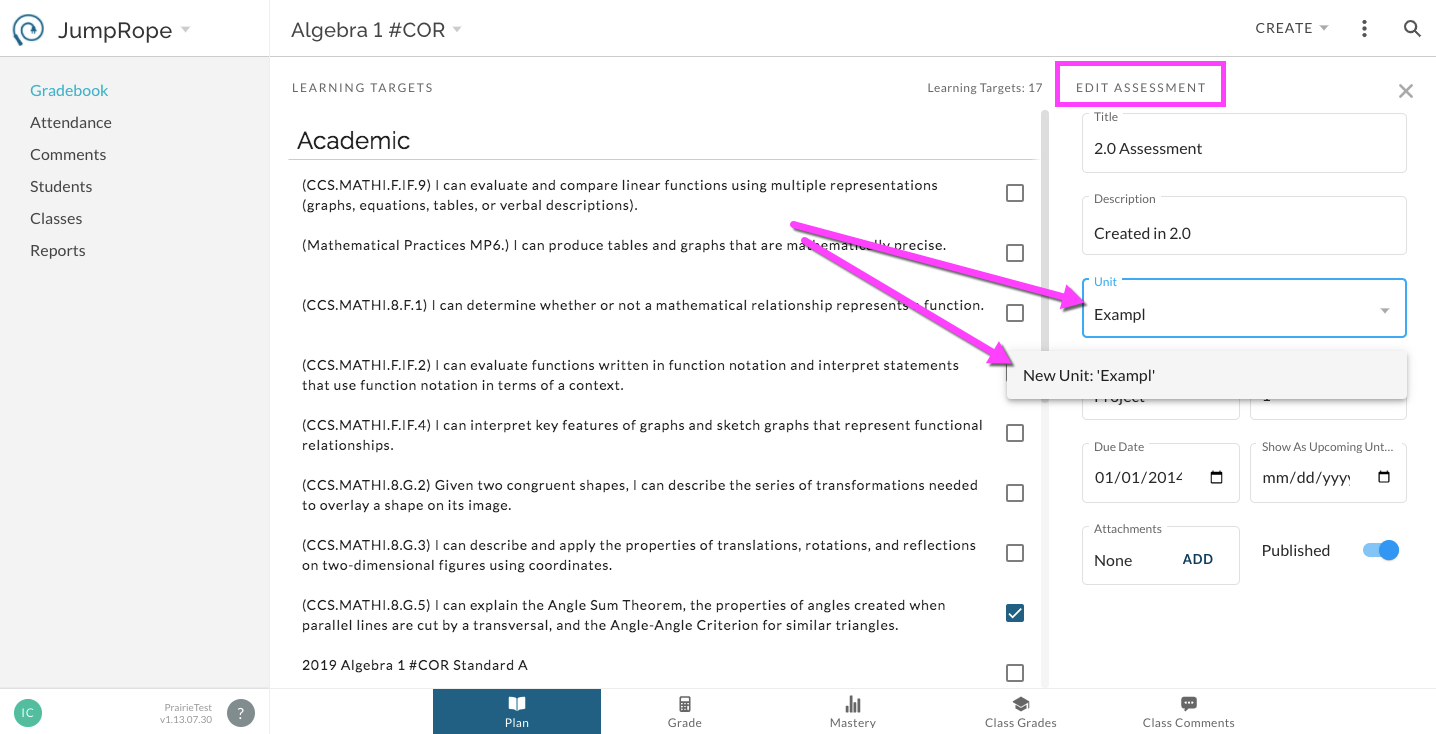
Option 3:
When creating or editing an assessment, in the Unit field, select Create New Unit from the drop-down list.